IPTV for Windows PC & Laptop (Windows 11 / 10)
Turn your desktop monitor or laptop into a live 4K television. Stream live sports, financial news, and movies with zero latency on Windows.
Système : Windows 11 / 10
Watching IPTV on a Windows 11 or Windows 10 computer gives you the flexibility of multi-tasking while streaming live sports, news, and entertainment. Whether you are at your office desk or gaming station, Strong 8K USA streams effortlessly.
You have multiple top-tier player choices on Windows: dedicated native apps like IPTV Smarters Pro for Windows, classic media tools like VLC Player, or modern Windows Store apps like MyIPTV Player.
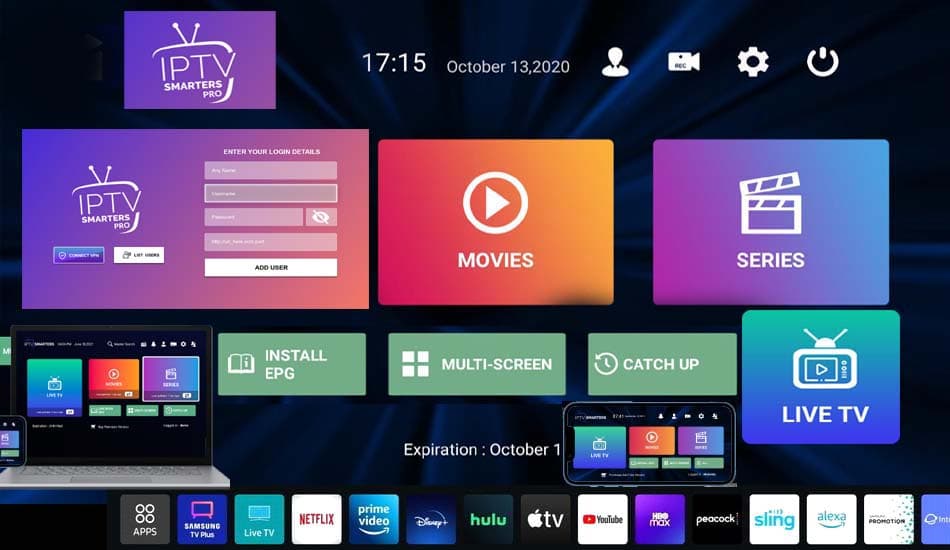
strong8kusa.com sur Windows PC & Laptop
- Windows 11, Windows 10, Windows 8.1 (64-bit)
- Supports multi-monitor desktop setups
- Hardware acceleration with Intel, AMD, and Nvidia graphics
- Supports M3U playlists and Xtream Codes API
Avec votre abonnement
- 50 000+ chaînes en direct
- 180 000+ films & séries
- Guide des programmes (EPG)
- Activation en moins de 60 s
L'essentiel sur Windows PC & Laptop
Les caractéristiques clés pour configurer votre appareil en toute sérénité.
| Operating System | Microsoft Windows 11 & 10 |
| Top Free App | VLC Media Player (Universal) |
| Top Dedicated App | IPTV Smarters Pro for Windows |
| Display Support | Full 4K, Ultrawide & Multi-Monitor |
| Connection Speed | Ethernet or Wi-Fi (20+ Mbps) |
Comment installer l'IPTV sur Windows PC & Laptop en 4 étapes
La marche à suivre pour configurer strong8kusa.com sur Windows PC & Laptop.
Download IPTV Smarters for Windows
Download the official IPTV Smarters .exe installer for Windows and install it.
Launch and Select Xtream API
Open the app and choose 'Login with Xtream Codes API'.
Enter Account Credentials
Enter your Any Name, Server URL, Username, and Password provided in your Strong 8K USA email.
Watch in Fullscreen or Windowed
Stream live sports while working or expand to fullscreen for a full home theater experience.
Lecteurs recommandés
Les applications les mieux adaptées à Windows PC & Laptop.
Problèmes fréquents sur Windows PC & Laptop
Un tableau clair : le problème, sa cause probable et la solution à appliquer.
| Problème | Cause possible | Solution |
|---|---|---|
| VLC loops or rapidly skips through channels | VLC trying to play non-responding stream or wrong loop setting | Click the 'Loop' toggle in VLC to deactivate it, or use IPTV Smarters which manages stream switching automatically. |
| High CPU usage on Windows laptop | Software video decoding instead of GPU decoding | In VLC Tools > Preferences > Input/Codecs, set 'Hardware-accelerated decoding' to 'Automatic'. |
Besoin d'aide supplémentaire ? Consultez le centre de dépannage complet.
Pages associées
Applications, formats et guides utiles pour tirer le meilleur de votre appareil.
VLC Media Player
Fastest free M3U player for Windows 10/11.
Voir l'applicationApplicationIPTV Smarters Pro Windows
Dedicated desktop app with full TV layout.
Voir l'applicationGuide pratiqueVPN for PC Streaming
Tutoriel détaillé et bonnes pratiques.
Lire le guideGuide pratiqueM3U Playlists Explained
Tutoriel détaillé et bonnes pratiques.
Lire le guideAutre appareilIPTV sur Mac (macOS)
Consulter le guide d'installation dédié.
Voir le guideAutre appareilIPTV sur Android TV
Consulter le guide d'installation dédié.
Voir le guidePour choisir la bonne offre, consultez notre guide du meilleur IPTV et les formules d'abonnement. Découvrez aussi les codes Xtream et le format M3U pour la configuration.
Questions fréquentes — IPTV sur Windows PC & Laptop
Can I watch IPTV on my PC at work or when traveling?
Yes. With Strong 8K USA, you can log in on your laptop anywhere with an active internet connection.
Is there a web player for Strong 8K USA?
Yes, we provide an encrypted web browser player so you can stream live TV directly inside Chrome, Edge, or Firefox without installing software.
Un autre souci ? Consultez notre guide de dépannage complet.
Ready to Upgrade Your Home Entertainment?
Join Strong 8K USA today and experience over 50,000 live channels and 180,000 VOD titles in 8K & 4K across all your devices. Instant 60-second automated setup.