How to Setup IPTV on Amazon Firestick (2026 Guide)
Amazon Firestick is the most popular streaming device in the United States. Follow our step-by-step walkthrough to unlock 50,000+ live 4K channels with Strong 8K USA in under 5 minutes.
Système : Fire OS
The Amazon Fire TV Stick 4K and Fire TV Cube are the premier budget streaming devices in the USA. With powerful hardware video decoders and support for Wi-Fi 6, Firestick delivers buttery-smooth 60 FPS playback for NFL, NBA, UFC, and live television.
Setting up Strong 8K USA on Firestick takes only minutes using the free Downloader app. You can run industry-standard players such as TiviMate and IPTV Smarters Pro with full remote control integration, EPG electronic program guide, and one-click favorites.
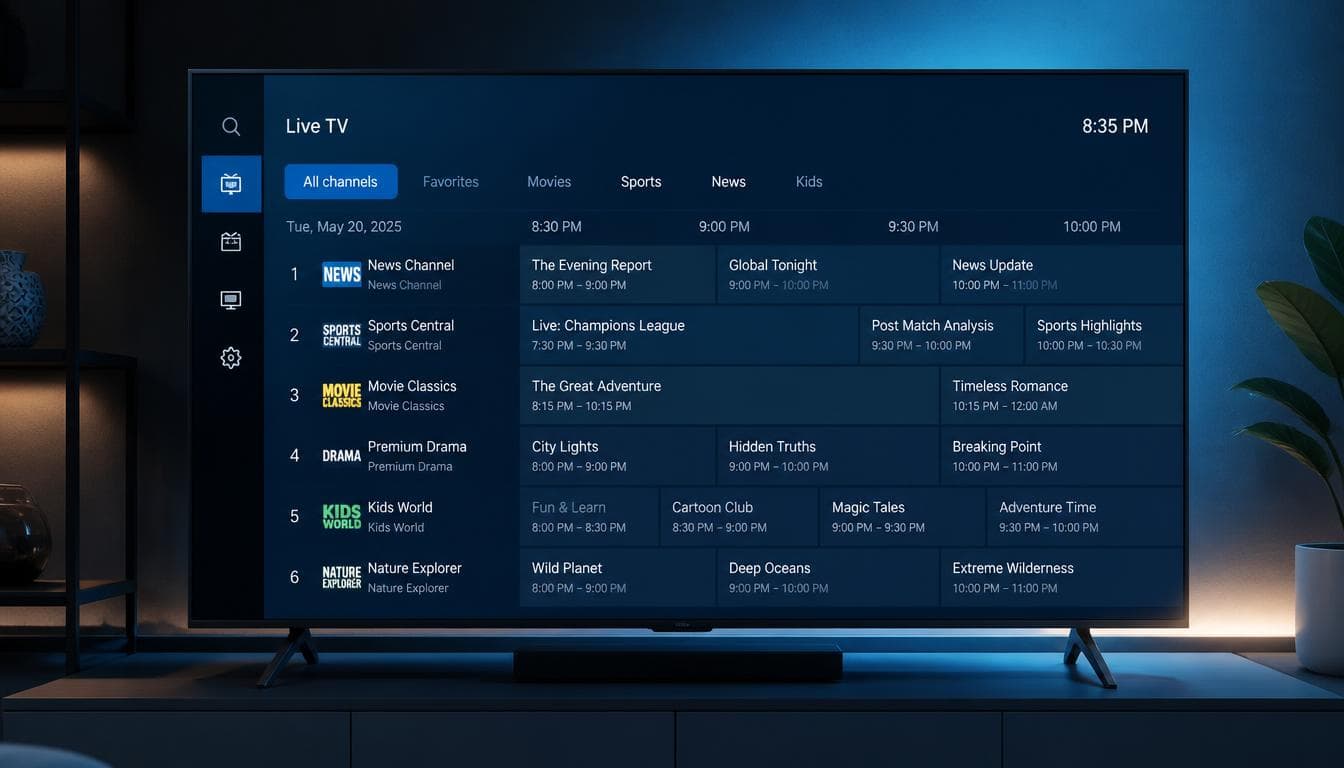
strong8kusa.com sur Amazon Firestick 4K & Fire TV
- Amazon Fire TV Stick 4K & Fire TV Stick 4K Max (Gen 1 & 2)
- Fire TV Cube (All Generations) & Fire TV Edition Smart TVs
- Fire TV Stick Lite & Standard Fire TV Stick (1080p)
- Supports Alexa Voice Remote and Bluetooth headphones
Avec votre abonnement
- 50 000+ chaînes en direct
- 180 000+ films & séries
- Guide des programmes (EPG)
- Activation en moins de 60 s
L'essentiel sur Amazon Firestick 4K & Fire TV
Les caractéristiques clés pour configurer votre appareil en toute sérénité.
| Operating System | Fire OS (Amazon Android Fork) |
| Setup Difficulty | Easy (5 minutes via Downloader) |
| Recommended App | TiviMate / IPTV Smarters Pro |
| Network Requirement | 20+ Mbps (Wi-Fi 5 or Wi-Fi 6) |
| Storage Needed | Under 150 MB free space |
Comment installer l'IPTV sur Amazon Firestick 4K & Fire TV en 4 étapes
La marche à suivre pour configurer strong8kusa.com sur Amazon Firestick 4K & Fire TV.
Install the Downloader App
From your Firestick home screen, search for 'Downloader' in the Amazon Appstore and install it for free.
Enable Sideloading in Settings
Go to Settings > My Fire TV > Developer Options > Install Unknown Apps, and set Downloader to 'ON'.
Download TiviMate or IPTV Smarters
Open Downloader, enter the quick code for IPTV Smarters Pro or TiviMate, and click Install.
Login with Strong 8K USA Credentials
Launch the app, choose 'Login with Xtream Codes API', enter your username and password, and start watching.
Lecteurs recommandés
Les applications les mieux adaptées à Amazon Firestick 4K & Fire TV.
Problèmes fréquents sur Amazon Firestick 4K & Fire TV
Un tableau clair : le problème, sa cause probable et la solution à appliquer.
| Problème | Cause possible | Solution |
|---|---|---|
| Firestick runs out of storage or runs slow | Accumulated app cache and background logs | Go to Settings > Applications > Manage Installed Applications, select apps and click 'Clear Cache'. |
| Buffering on Firestick at night | ISP bandwidth throttling on streaming ports during peak hours | Strong 8K USA routes via encrypted ports; connecting via a 5GHz Wi-Fi band or VPN resolves ISP-level throttling. |
| Developer Options missing on Firestick | New Amazon software update hid developer options | Go to Settings > My Fire TV > About, and click your device name 7 times rapidly to reveal Developer Options. |
Besoin d'aide supplémentaire ? Consultez le centre de dépannage complet.
Pages associées
Applications, formats et guides utiles pour tirer le meilleur de votre appareil.
IPTV Smarters Pro
Easy installation via Downloader app.
Voir l'applicationApplicationTiviMate IPTV Player
The ultimate remote-friendly experience.
Voir l'applicationGuide pratiqueComplete Firestick Setup Tutorial
Tutoriel détaillé et bonnes pratiques.
Lire le guideGuide pratiqueStop ISP Throttling Guide
Tutoriel détaillé et bonnes pratiques.
Lire le guideAutre appareilIPTV sur Android TV Box
Consulter le guide d'installation dédié.
Voir le guideAutre appareilIPTV sur Apple TV 4K
Consulter le guide d'installation dédié.
Voir le guidePour choisir la bonne offre, consultez notre guide du meilleur IPTV et les formules d'abonnement. Découvrez aussi les codes Xtream et le format M3U pour la configuration.
Questions fréquentes — IPTV sur Amazon Firestick 4K & Fire TV
What is the best IPTV app for Firestick in 2026?
TiviMate IPTV Player is widely regarded as the #1 player for Firestick for its unmatched speed and modern TV guide. IPTV Smarters Pro is the best free alternative.
Is it legal to use IPTV on Amazon Firestick in the US?
Yes. Using streaming applications on Firestick is 100% legal. Strong 8K USA provides high-speed cloud infrastructure for your digital entertainment.
Does Firestick 4K Max support 60 FPS sports streams?
Yes. The Firestick 4K Max supports hardware-accelerated 4K 60 FPS and Wi-Fi 6, making it an ideal device for sports fans.
Un autre souci ? Consultez notre guide de dépannage complet.
Ready to Upgrade Your Home Entertainment?
Join Strong 8K USA today and experience over 50,000 live channels and 180,000 VOD titles in 8K & 4K across all your devices. Instant 60-second automated setup.