IPTV for iPhone & iPad (iOS / iPadOS)
Never miss a game on the go. Stream live 4K & HD television on 5G and Wi-Fi across all iPhone and iPad models with Strong 8K USA.
Système : iOS / iPadOS
With high-density Super Retina OLED screens and ultra-fast 5G cellular connectivity, modern iPhones and iPads are incredible portable televisions. Whether traveling, commuting, or relaxing in bed, Strong 8K USA keeps you connected to live TV.
The Apple App Store hosts several approved IPTV applications like Smarters Player Lite and GSE Smart IPTV that sync seamlessly with your Strong 8K USA subscription using Xtream Codes API.
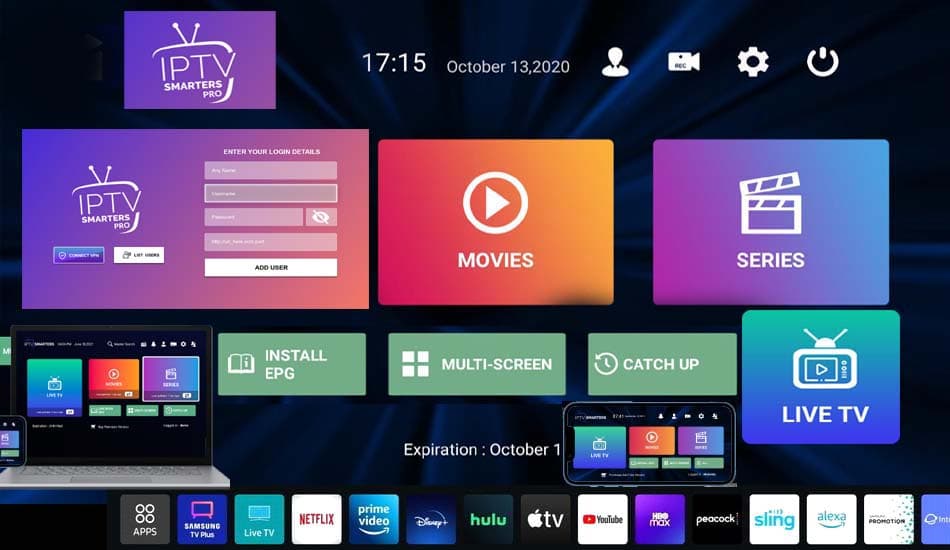
strong8kusa.com sur iPhone & iPad (iOS / iPadOS)
- iPhone 12 through iPhone 16 / Pro Max (iOS 15 to 18)
- iPad Pro, iPad Air, iPad mini, and standard iPad
- Seamless Picture-in-Picture (PiP) background playback
- AirPlay 2 streaming to any Smart TV or Roku
Avec votre abonnement
- 50 000+ chaînes en direct
- 180 000+ films & séries
- Guide des programmes (EPG)
- Activation en moins de 60 s
L'essentiel sur iPhone & iPad (iOS / iPadOS)
Les caractéristiques clés pour configurer votre appareil en toute sérénité.
| Operating System | Apple iOS & iPadOS |
| App Source | Official Apple App Store |
| Top Free App | Smarters Player Lite |
| Cellular Support | Optimized for 5G & LTE Data |
| Casting Feature | AirPlay 2 & Chromecast |
Comment installer l'IPTV sur iPhone & iPad (iOS / iPadOS) en 4 étapes
La marche à suivre pour configurer strong8kusa.com sur iPhone & iPad (iOS / iPadOS).
Open App Store on iPhone/iPad
Open the App Store and search for 'Smarters Player Lite'.
Download the App
Click Get and verify with Face ID or Touch ID to install the free player.
Login with Xtream Codes
Open the app, select 'Login with Xtream Codes API', and type in your Strong 8K USA login details.
Stream Anywhere
Access live channels, EPG, and movies with touch gestures and Picture-in-Picture.
Lecteurs recommandés
Les applications les mieux adaptées à iPhone & iPad (iOS / iPadOS).
Problèmes fréquents sur iPhone & iPad (iOS / iPadOS)
Un tableau clair : le problème, sa cause probable et la solution à appliquer.
| Problème | Cause possible | Solution |
|---|---|---|
| Video buffers on cellular 5G data | Carrier data saver throttling streaming video | In iOS Settings > Cellular > Cellular Data Options, ensure 'Allow More Data on 5G' is selected. |
Besoin d'aide supplémentaire ? Consultez le centre de dépannage complet.
Pages associées
Applications, formats et guides utiles pour tirer le meilleur de votre appareil.
GSE Smart IPTV
Optimized for iOS & iPadOS.
Voir l'applicationApplicationIPTV Smarters Pro iOS
Lecteur IPTV compatible et recommandé.
Voir l'applicationGuide pratiqueXtream Codes API on iPhone
Tutoriel détaillé et bonnes pratiques.
Lire le guideAutre appareilIPTV sur Apple TV 4K
Consulter le guide d'installation dédié.
Voir le guideAutre appareilIPTV sur Mac (macOS)
Consulter le guide d'installation dédié.
Voir le guidePour choisir la bonne offre, consultez notre guide du meilleur IPTV et les formules d'abonnement. Découvrez aussi les codes Xtream et le format M3U pour la configuration.
Questions fréquentes — IPTV sur iPhone & iPad (iOS / iPadOS)
Can I use the same Strong 8K USA subscription on both TV and iPhone?
Yes. Our multi-connection plans allow you to stream on your living room TV and mobile device simultaneously.
Does Smarters Player Lite cost money on iOS?
No, Smarters Player Lite is free to download from the Apple App Store.
Un autre souci ? Consultez notre guide de dépannage complet.
Ready to Upgrade Your Home Entertainment?
Join Strong 8K USA today and experience over 50,000 live channels and 180,000 VOD titles in 8K & 4K across all your devices. Instant 60-second automated setup.